

Splunk JSON fields expand
Introduction
When working with structured logs in Splunk, especially JSON formatted ones, sometimes I find the need to expand the nested object or arrays to get a better understanding of the log structure and the information it stores, and where it’s stored.
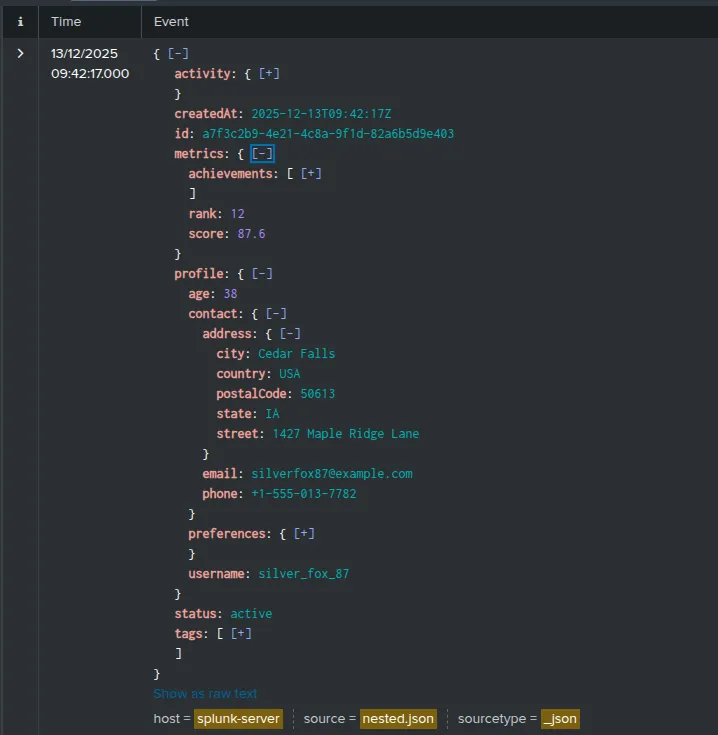
Using ChatGPT to generate a sample of a nested JSON I’ve uploaded to Splunk, the log looks initially like:
Create a snippet
NOTE: The snippet in this section was created on Chromium-based (Brave) browser and its creation may differ in other browsers, such as Firefox.
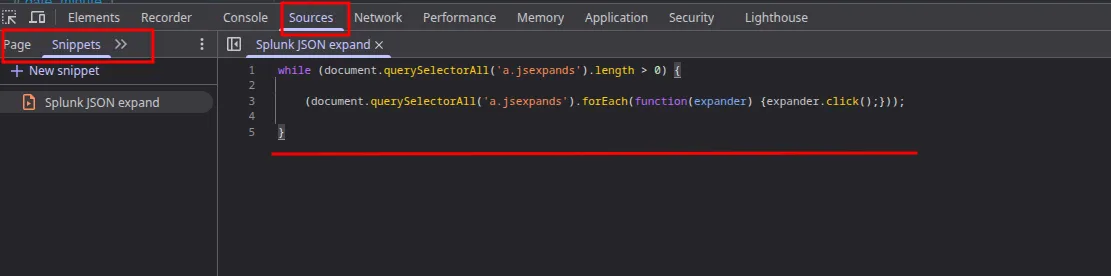
To create the snippet:
Sources -> Snippets -> New Snippet -> Paste the snippet
NOTE: The snippet can be found in the GitHub link in this page!
Once the snippet is saved, to run the snippet from the Dev Tools:
F12 (or your dev tools key bind) -> Ctrl + o -> Enter ! and choose the snippet you saved -> Press enter to run

Now close the browser console and that’s it!
WARNING: Keep in mind that a heavily nested, very large JSON with a lot of events can take a few seconds to expand fully.
← Back to projects